
Accounting is a very important aspect of every small business. Thanks to Quickbooks Pro from Intuit, I've been able to keep tabs on my small businesses in a very efficient manner.
About two years ago I started using Mac computers and fell in love with their operating system, sleek design, and engineering. So much so that I ended up purchasing Microsoft Office, design programs, and movie editing software for the Macs. I also bought Quickbooks for Mac thinking it would be a great program.
Well, I found that Quickbooks for Mac still lacks many of the features, capabilities, and functionalities that the PC version has. So much so that I quit using the Quickbooks 2011 Pro and went back to using the PC version. The problem I had with this is that I had to carry two laptops around because I had to do the bookwork using my PC. The other option I found was to use the online version of Quickbooks which has a monthly fee that I was not real keen about.
Long story short, I heard about a free program called Logmein.com. Logmein allows you to access any computer that you own as long as it is turned on and has internet access. Thus, I now have a PC on at my home office 24/7 with internet access. I can quickly use Logmein's remote connection to log into Quickbooks on the PC from my Mac. So, whether I am at a clients business, on the road, or at a coffee shop; I have the ability to create invoices, send bills, etc all from my Mac computer.
1. To set up Logmein, first go to www.logmein.com
2. Create a free account and follow the instructions to install the software on both computers.
3. Log in from your Mac and work on your accounting! Yeah yeah, I know you are probably not that excited to do accounting, but at least this solution allows you to do it from your Mac.
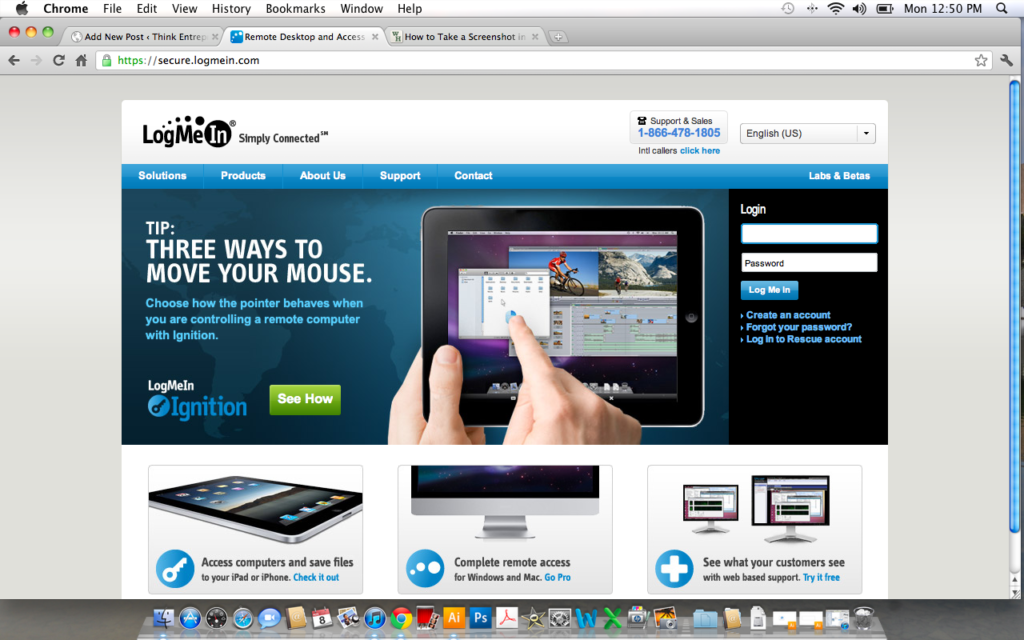
Screenshot of Logmein.com above

Screenshot of what the Mac screen looks like while using Logmein.com to access the remote PC running Quickbooks.
Please post any comments, questions, or other solutions you've come up with.
Pete Sveen
Hey Pete – thanks for the info. I’ve had similar struggles with Mac’s and Quickbooks. Currently, I export a “QB backup copy for windows” to my cpa (their firm only uses PC’s – dumb, in my opinion) for editing and then the re-transfer back to QB for Mac and send it to me. It works ok, but some things get lost in the shuffle every time. Do you know if it would work in reverse, I could have my QB for Mac running and my cpa could access and edit it on their PC?
Thanks!
Hi Josh,
Thanks for commenting about the article. Logmein could be set up between your two computers so that the PC could access the Mac. The accounting firm would be able to access your information and edit it. However, they are probably not real familiar with the Mac’s software and may have a little learning curve to figure out how to use Mac’s version. You would need to make sure the Mac is turned on and that you are not using it when they need to access the information. I hope this helps in answering your question!
Pete Sveen – TE Admin
Hi Pete,
I know your post was from a little back so I’m wondering what is your current Mac operating system that you are using and if you’ve had any problems connecting between the computers through Logmein?
I just recently started working with a bookkeeper and we tested out Logmein but she kept on getting kicked off every time she signs in, almost immediately. My operating system is 10.7 (Mac). I’m wondering is there is any conflicts.
Hi Tran,
Thanks for your question. I have been using Logmein.com up until January of this year. I use Mac OSX Lion 10.7 just like yourself. I was using my Mac to access a PC running all the time just for Quickbooks. I did not have trouble accessing it or getting a booted off. Was your bookkeeper using your Mac to access the computer running Quickbooks? I’m sure you have a good connection on both computers and that the PC is always on. You installed LogMeIn on both computers correct? I’m not quite sure what the problem is. Please email me the answers to my questions and perhaps I can suggest something to try. I’d really like to help you! — I recently switched over to Quickbooks for Mac because it is much more convenient for my situation – but I know the QB for PC still has more features and bookkeepers/accountants are more familiar with it. – Pete
Hi Pete,
Thank you for the prompt reply. I have the Mac (Lion 10.7) with Quickbooks 2011 (Mac version) and she’s with a PC. I’ve found out that I’m suppose to be on Safari or Firefox, not Google Chrome. Unfortunately her computer has now crashed so we were not able to try it out.
I know there is a way that I should be able to send over a Quickbooks file and have it worked on and sends back but I haven’t figure that out yet.